Jellyfin guide
Skip intros and end credits
Jellyfin can jump past a show's opening song and its end credits for you.
1Press Skip Intro
When an episode's intro starts, a Skip Intro button pops up in the bottom-right corner. Press it to jump straight to the story. A button like it appears for the end credits too.
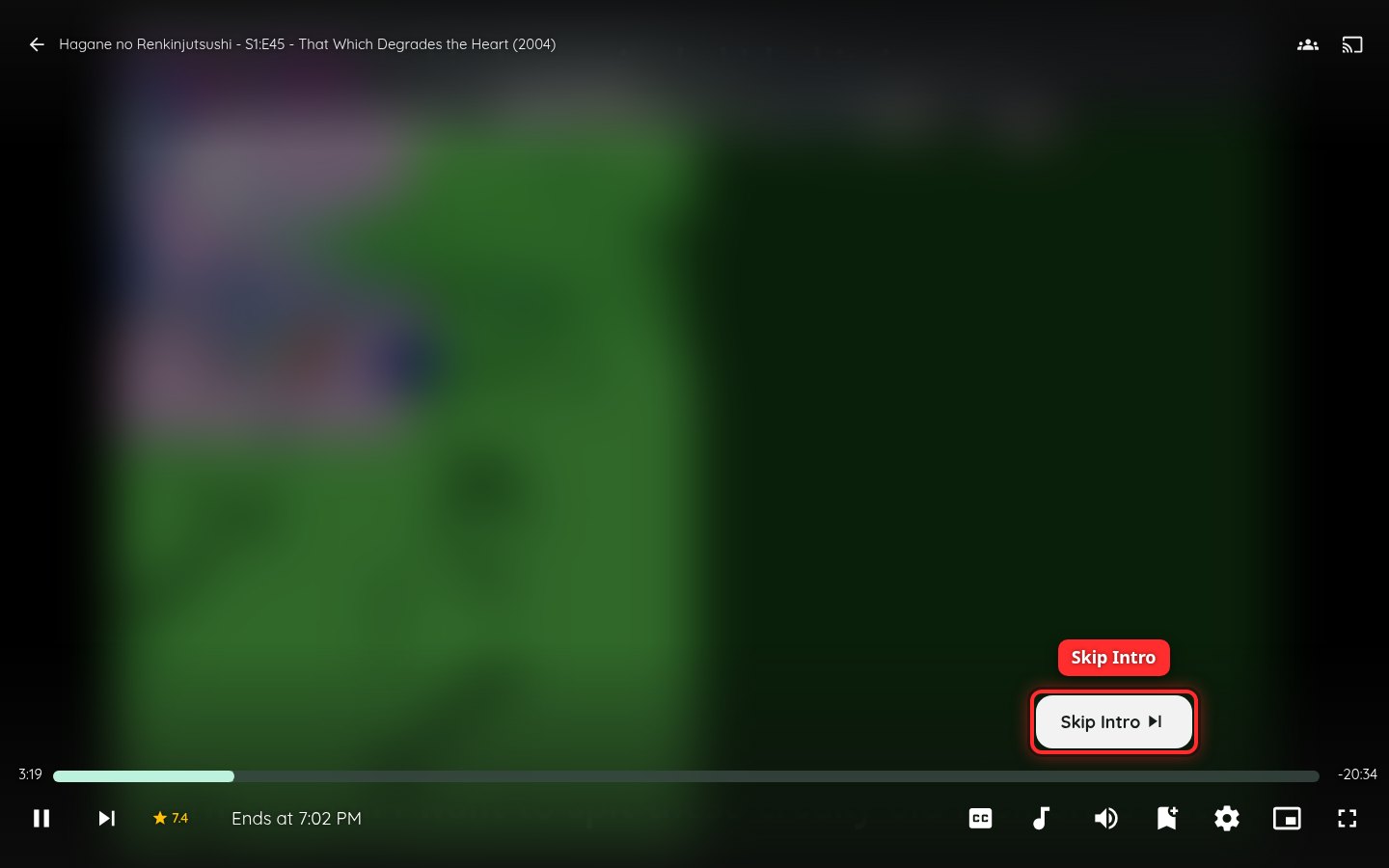
The video in this picture is blurred on purpose.
The server finds intros and credits by itself, so new episodes get the button shortly after they're added. A few episodes, like ones with no opening, never show it.
2Skip them automatically (optional)
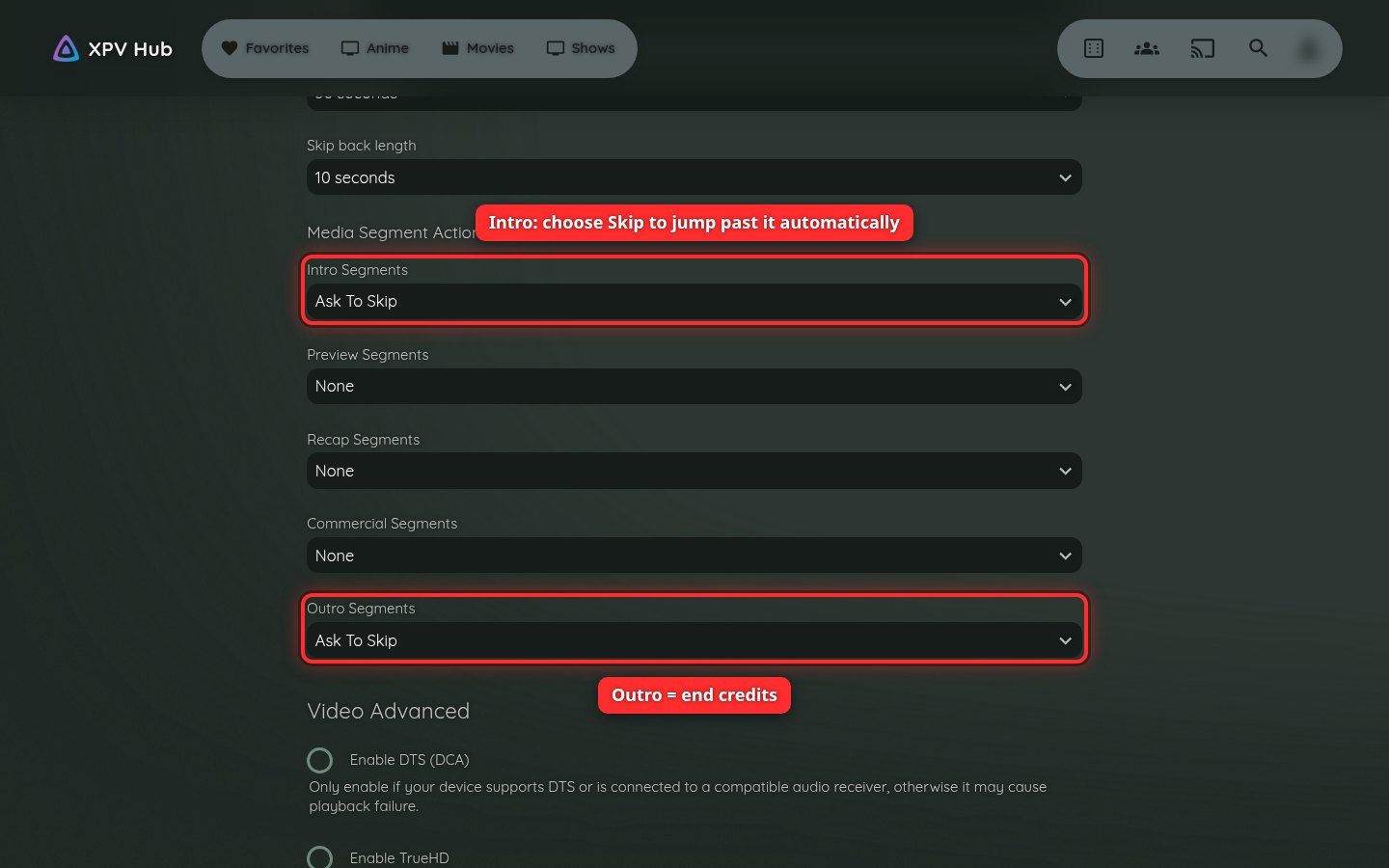
Want intros gone without pressing anything? Click the person icon in the top-right corner, choose Settings, then Playback. Scroll to Media Segment Actions. Set Intro Segments to Skip. Do the same for Outro Segments to skip end credits. Click Save at the bottom.
This setting only changes the device you're on.