Jellyfin guide
Getting started: sign in on any device
XPV Hub runs on Jellyfin. You can watch on a computer, phone, tablet or TV. You only need the address and the username and password the server owner gave you.
1Open Jellyfin
On a computer, go to jellyfin.xpvhub.com in your web browser.
Phones, tablets and most smart TVs have a free Jellyfin app in their app store. When the app asks for a server, type https://jellyfin.xpvhub.com.
2Sign in
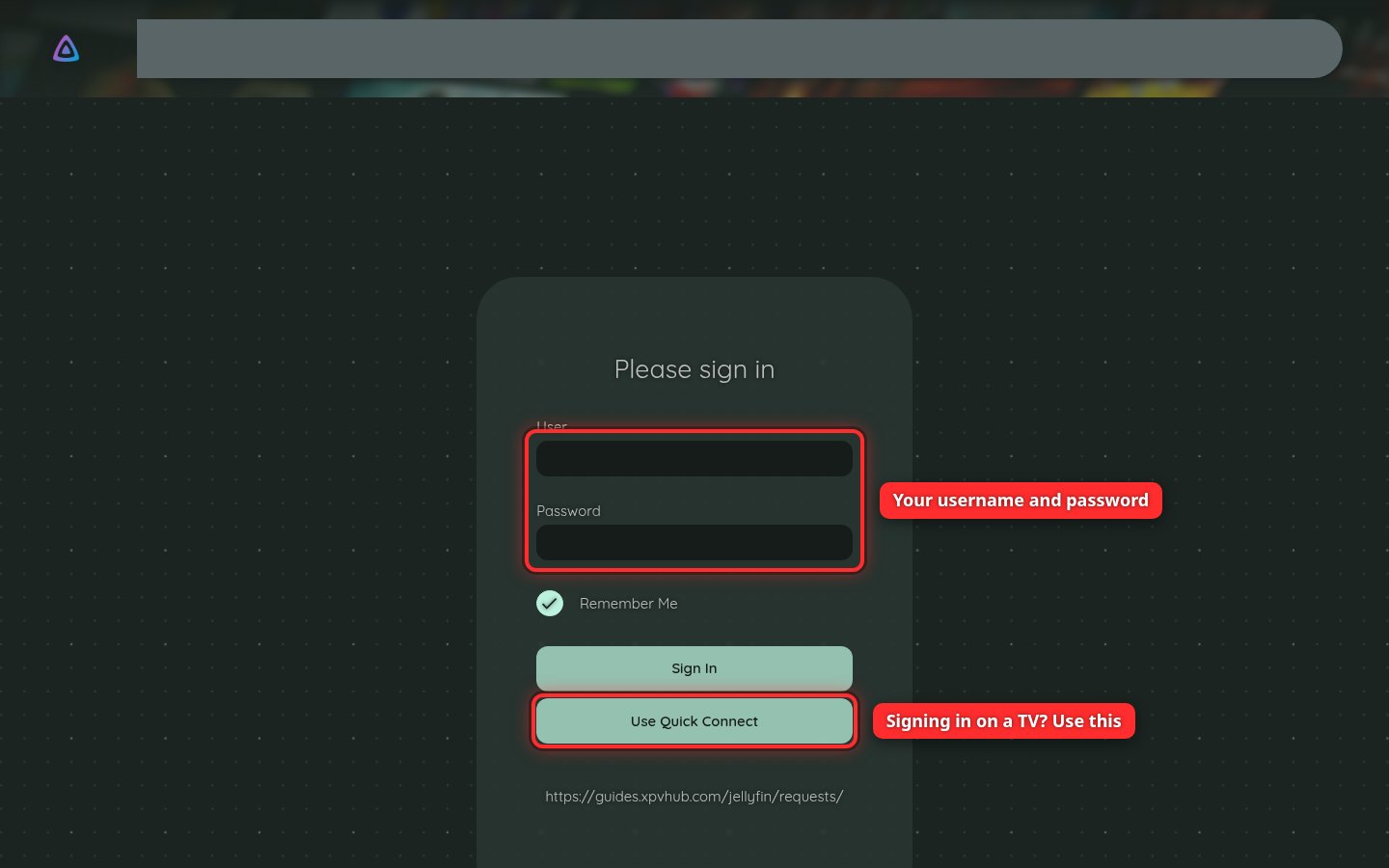
Type your username and password, then click Sign In. Leave Remember Me ticked on your own devices so you stay signed in.
Signing in on a TV without typing
Typing a password with a TV remote is slow. Use Quick Connect instead.
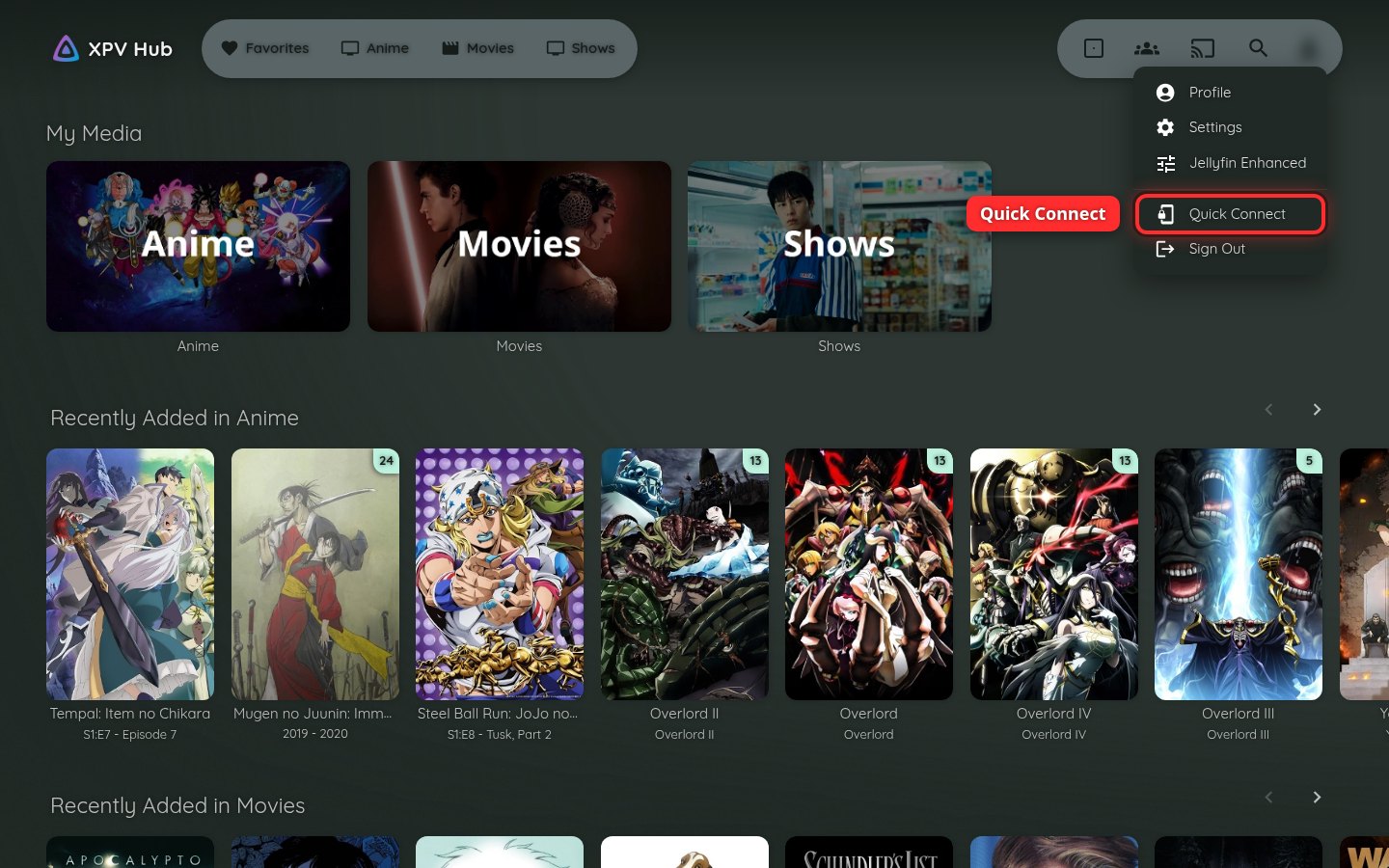
On the TV, choose Use Quick Connect. The TV shows a short code. Then, on a phone or computer where you're already signed in, click the person icon in the top-right corner and choose Quick Connect.
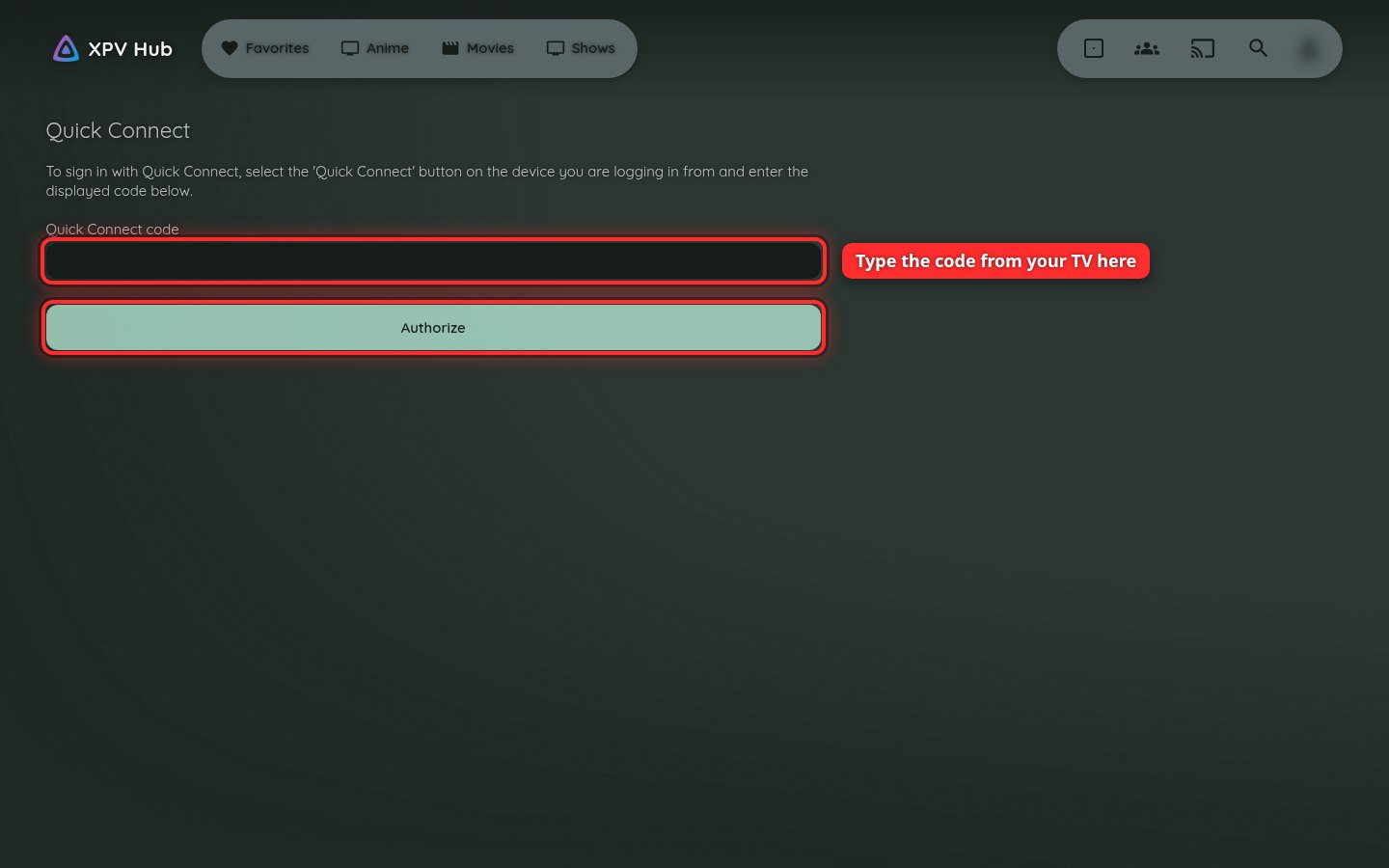
Type the code from your TV and click Authorize. The TV signs in by itself.
Forgot your password? Ask the server owner to reset it.